
Your LinkedIn photo is roughly 200 pixels wide in most places it appears. It shows up next to every comment you leave, every message you send, and every application you submit. For a lot of people it is the single most-viewed photograph of them in existence.
It is also, frequently, a cropped photo from a wedding in 2019.
Here are the mistakes I see most, in rough order of how much damage they do.



1. The cropped group photo
You know the one. Someone else’s shoulder is still in frame. There’s a hand on your arm belonging to a person who has been cropped out. The resolution is soft because it’s a small section of a larger image blown up.
This reads as I did not spend two minutes on this, which is a strange signal to send on a professional network. It also usually means the lighting and angle were chosen for a completely different purpose — a photo that worked as a memory rarely works as a portrait.
If your current photo has any part of another human in it, that’s the first thing to fix.
2. Shooting from below
The most common technical error, and the easiest to fix. A camera below eye level compresses the jaw, emphasizes the underside of the chin, and makes even a well-lit face look heavy.
Lens height should be at or very slightly above your eye level. If you’re taking something yourself as a stopgap, put the phone on a stack of books rather than holding it.
3. Overhead lighting
Office ceilings light you from directly above. That puts shadow into your eye sockets and drops a dark line under your nose and lower lip. It’s the same lighting direction used to make people look sinister in films, which is not the association you want next to your job title.
Window light is better than any ceiling in any office. Face the window, don’t stand with your back to it.
4. A background that’s doing too much
Your bookshelf. A conference room whiteboard with legible writing on it. A restaurant. A car interior.
At 200 pixels, background detail turns to visual noise and pulls attention from your face. Clean and simple wins — a plain wall, an out-of-focus environment, a studio backdrop. The photo has one job, and the background is not it.
Watch for the accidental stuff too. A plant that appears to be growing from your head is a real and common problem.
5. Sunglasses, hats, and heavy filters
This shouldn’t need saying, and yet.
The purpose of the photo is recognition. Someone should be able to match it to you in a lobby. Anything obscuring your eyes defeats the entire function. Heavy smoothing filters have the same effect more subtly — they make you look like a rendering, and people register that as evasive even when they can’t articulate why.
6. A photo that’s five years and one haircut old
Using an outdated photo is a small credibility leak that only registers when you meet someone in person and there’s a beat of recalibration.
The rough guideline is every two to three years, or immediately after any significant change to how you present — new hair, grew or lost a beard, started wearing glasses. If you’re actively job hunting or doing business development, keep it current.
7. Not matching the photo to the role you want
This is the strategic one, and it’s the one most people never consider.
An executive coach and a startup engineer should not have the same photograph. The coach needs warmth and approachability — someone you’d tell a difficult truth to. The engineer might be better served by something more direct and less polished.
Ask what you want the viewer to conclude in the half second before they read your headline. Then dress, light, and frame for that. A photo that’s technically excellent but tonally wrong for your field is still the wrong photo.
The technical details worth knowing
Crop: head and the top of your shoulders. Your face should occupy roughly 60% of the frame height. Too far back and you’re unrecognizable at thumbnail size; too tight and it feels confrontational.
Format: LinkedIn displays a circle. Anything in the corners gets cut — check that nothing important lives there.
Resolution: upload the largest file you have. LinkedIn compresses aggressively, and starting from a small file compounds the damage.
Expression: a genuine, closed-mouth smile or a warm neutral both work. What doesn’t work is the held smile that’s been on your face for ten seconds — it shows in the eyes.
What good actually looks like
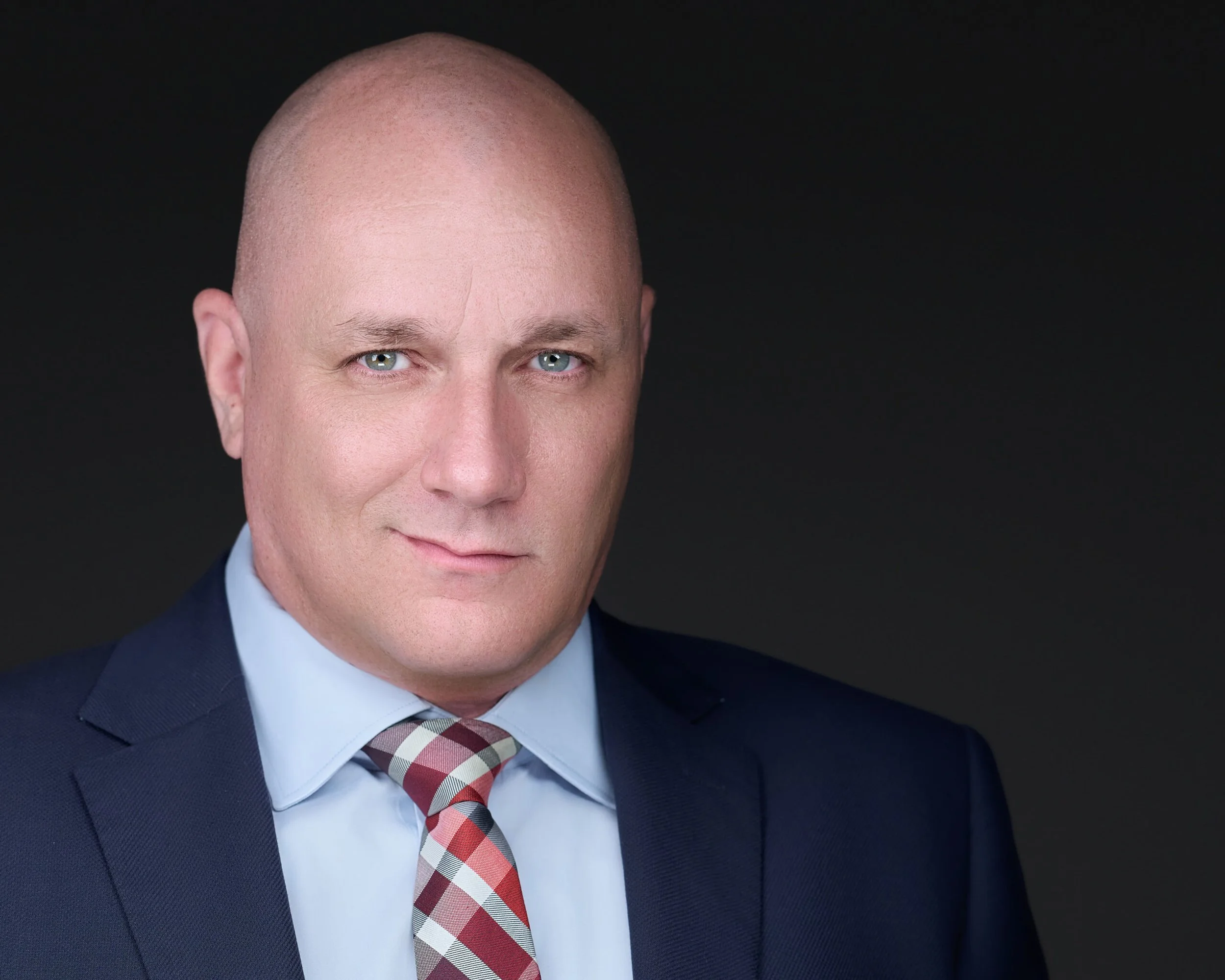
A properly made headshot is lit deliberately, shot at eye level, cropped for a small circle, and taken while you were being directed rather than told to relax. It looks like you on a day you felt good.
It also does a specific job: it makes someone slightly more likely to accept your connection request, open your message, or take your call. That’s a small edge, applied to every professional interaction you have online.
That’s a reasonable thing to spend forty minutes on.
I photograph executives, founders, attorneys, and professionals across Metro Detroit from a studio in West Bloomfield. Sessions are fully guided — you’ll be directed through posing and expression, not left to figure it out.
See headshot sessions, personal branding photography, or book a session.
Fixing all seven at once takes about twenty minutes in a studio. A LinkedIn headshot session in West Bloomfield is $200 for one fully directed, retouched image, sized for your profile.